Building a sentence
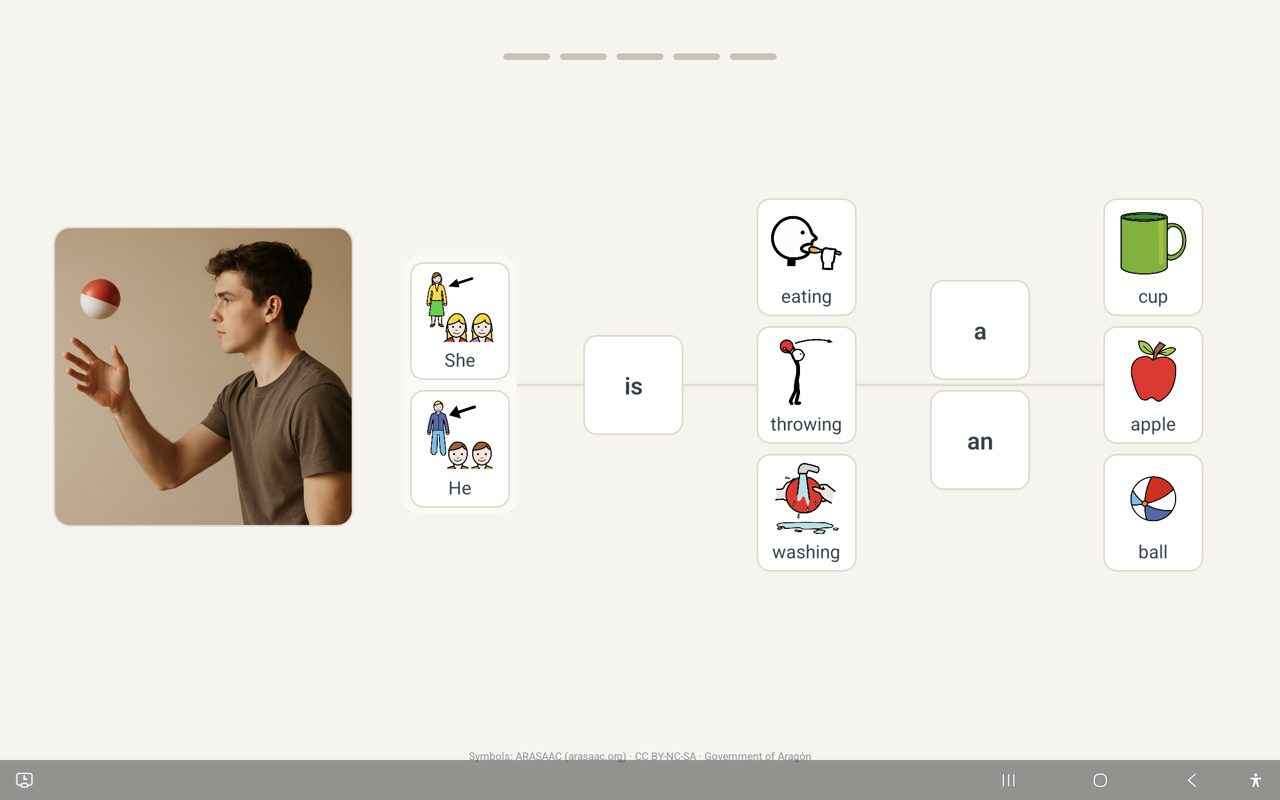
They look at a photo, then build a sentence about it by tapping picture tiles — one column per word. Each tap is spoken aloud, so they hear the sentence take shape as they build it.
- See the photo
- Tap a tile
- Hear the word spoken
- If it doesn't fit yet, a gentle "look again" nudge — never "wrong"
- Finish the sentence
- A calm, quiet celebration
Episode 1
Their experience: building a sentence
Errorless by design
Every design choice in ALPINE points the same direction: keep the experience predictable, literal, and free of pressure. The app is built to make mistakes rare and never embarrassing. A mismatched tile gets a gentle "look again" cue — they are never told they made a mistake, and they can always change a tile and correct themself before finishing.
No scores, no timers, no games
Nothing on their screen counts, ranks, or races them. One sentence at a time, at their own pace.
Nudges, never "wrong"
A mismatched tile gets a gentle visual "look again" cue. The app never tells them they made a mistake.
Self-correction is welcome
Changing their mind and picking a different tile before finishing is a normal, expected part of building — not an error.
One predictable change at a time
The app never changes the pack, the pace, or the rules on its own. An adult always decides when something changes.
Episode 2
Errorless teaching: nudges and self-correction
Practice mode: the adult side
There is no visible settings button on their screen — that's deliberate, so they never wander into it. Adults reach the controls through a hidden gate: press and hold the small grey attribution line at the bottom of the screen for two seconds.
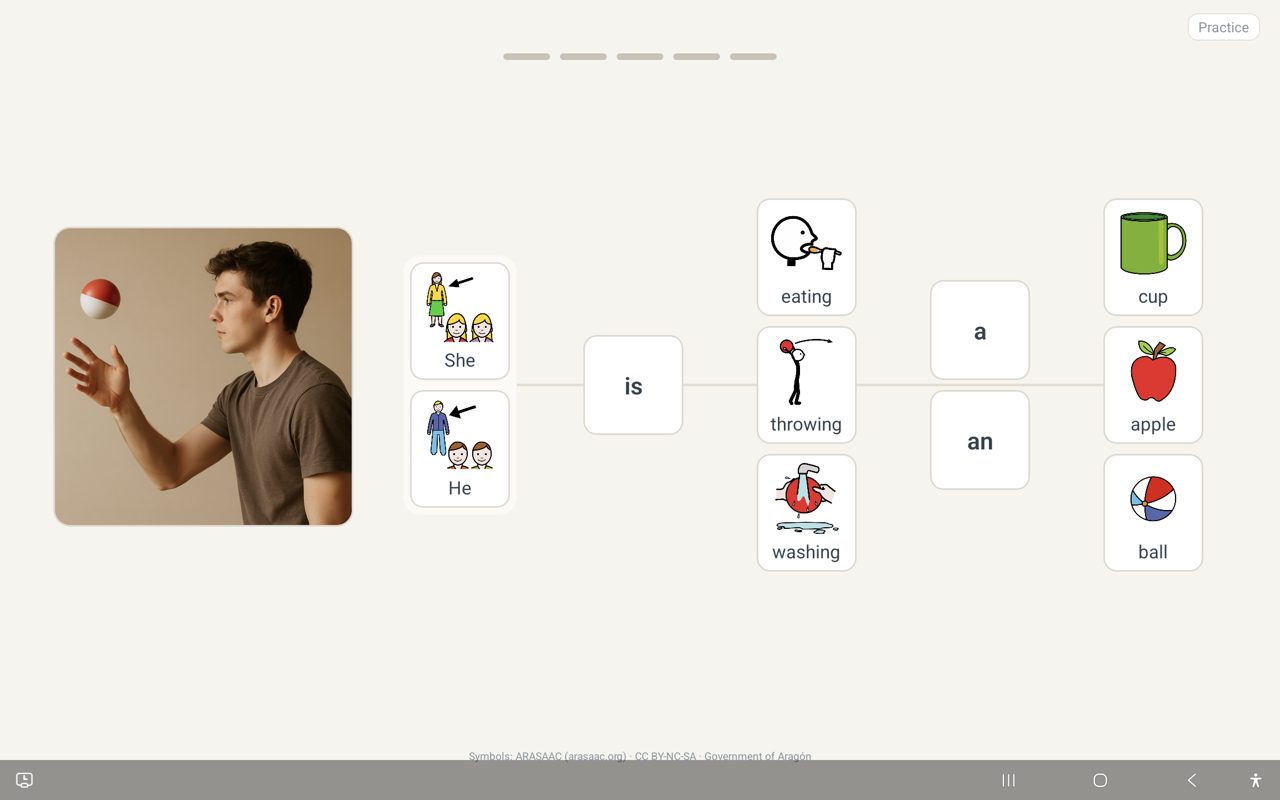
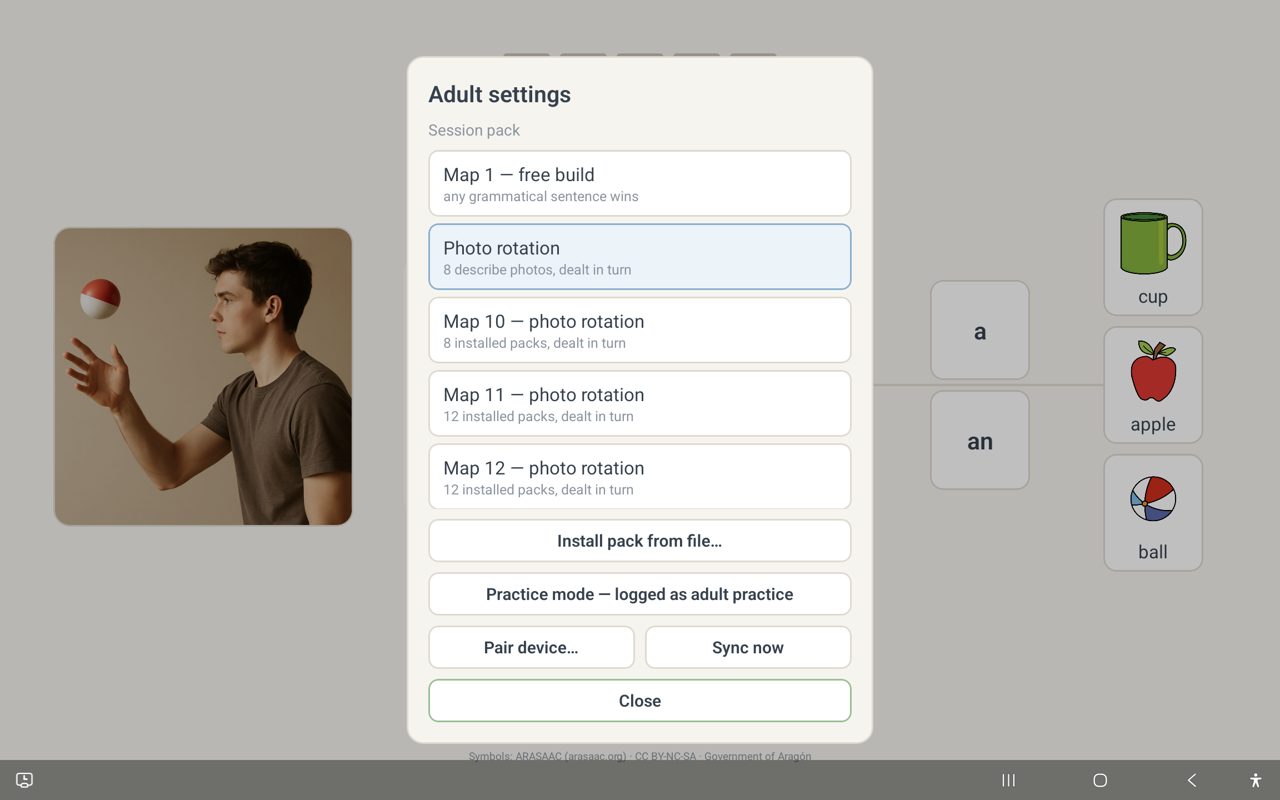
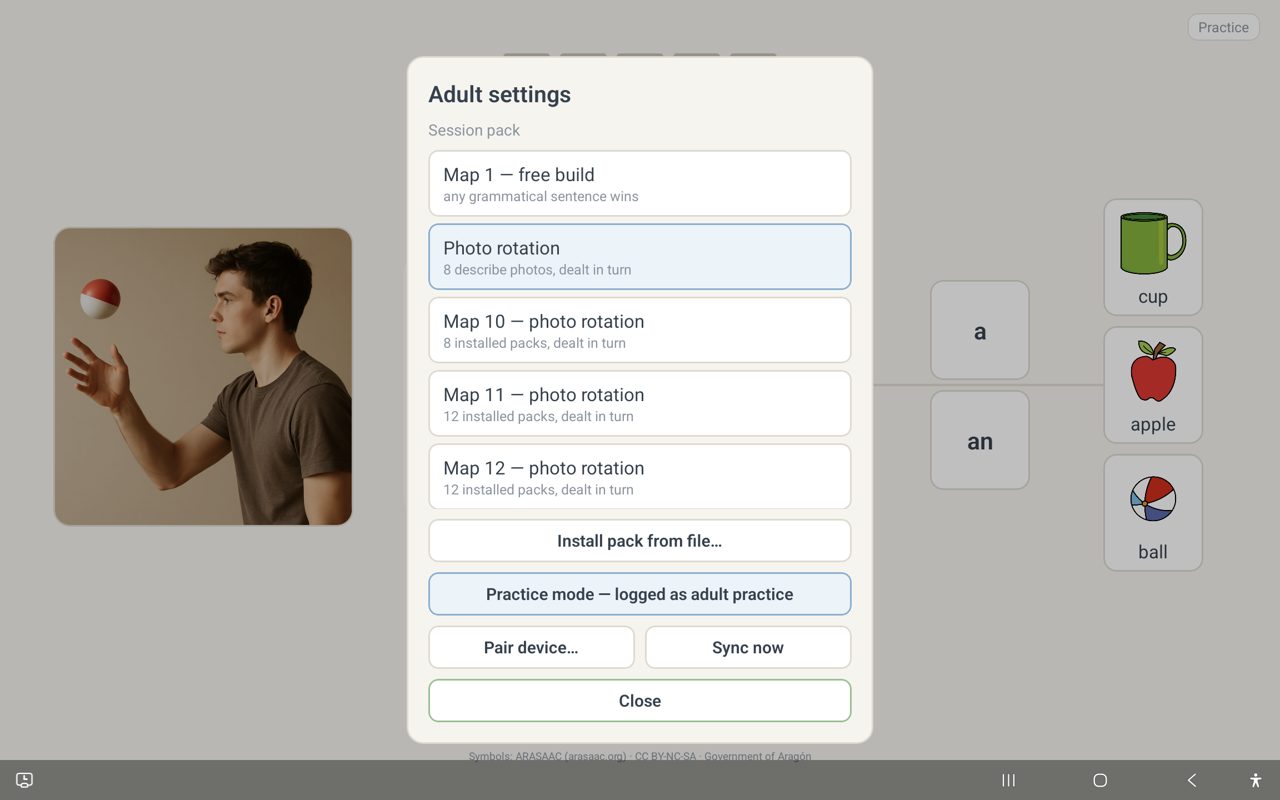
The app can't tell whose fingers are tapping. Any build made without Practice mode on is recorded as their learning data. Practice mode tags an adult's own taps separately, so trying the app or demoing it never pollutes their progress charts.
Moving them to a new map, installing a new pack, and pairing or syncing the device are all adult-only actions, reached through the same gate — never automatic, and never something they can trigger by accident. See the Parent & Adult Guide for the step-by-step recipes, and Episode 3 for a walkthrough of the full adult side.