What Read and Build is
Read and Build is ALPINE AI's third product. It takes the Sentence Builder's idea one step further: instead of a photo prompting a sentence, a short illustrated story does. The learner listens to a page read aloud — the sentence being spoken lights up as it is read — and on build pages, the sentence they just heard becomes theirs to build, from the exact same word tiles and picture symbols they know from the Sentence Builder.
The stories are written around the curriculum, not the other way round: every build sentence in a story is one of the sentences the learner is currently working on. Read and Build runs on the same tablet, with the same calm look and the same voice. It is new — in family testing now, ahead of joining the Sentence Builder in daily use — and, like everything under the ALPINE AI name, it is not a commercial product.
How a story works
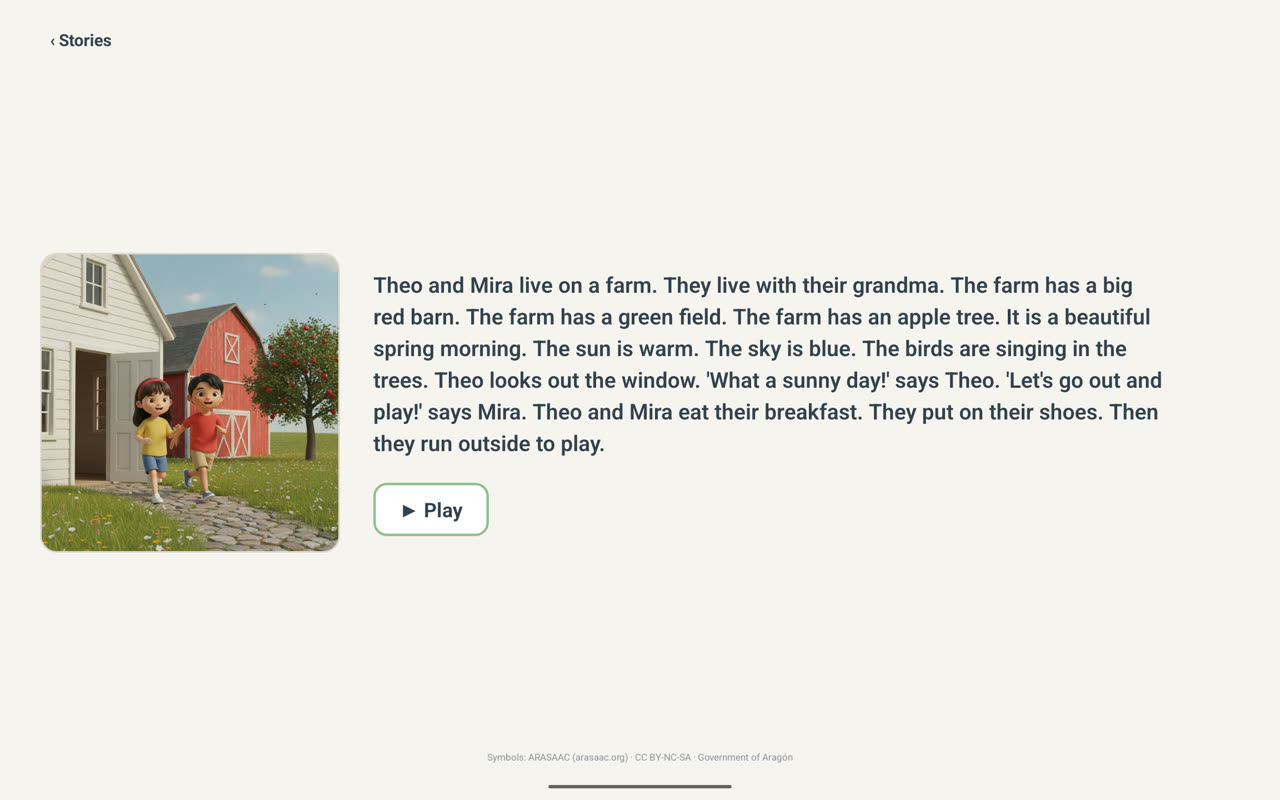
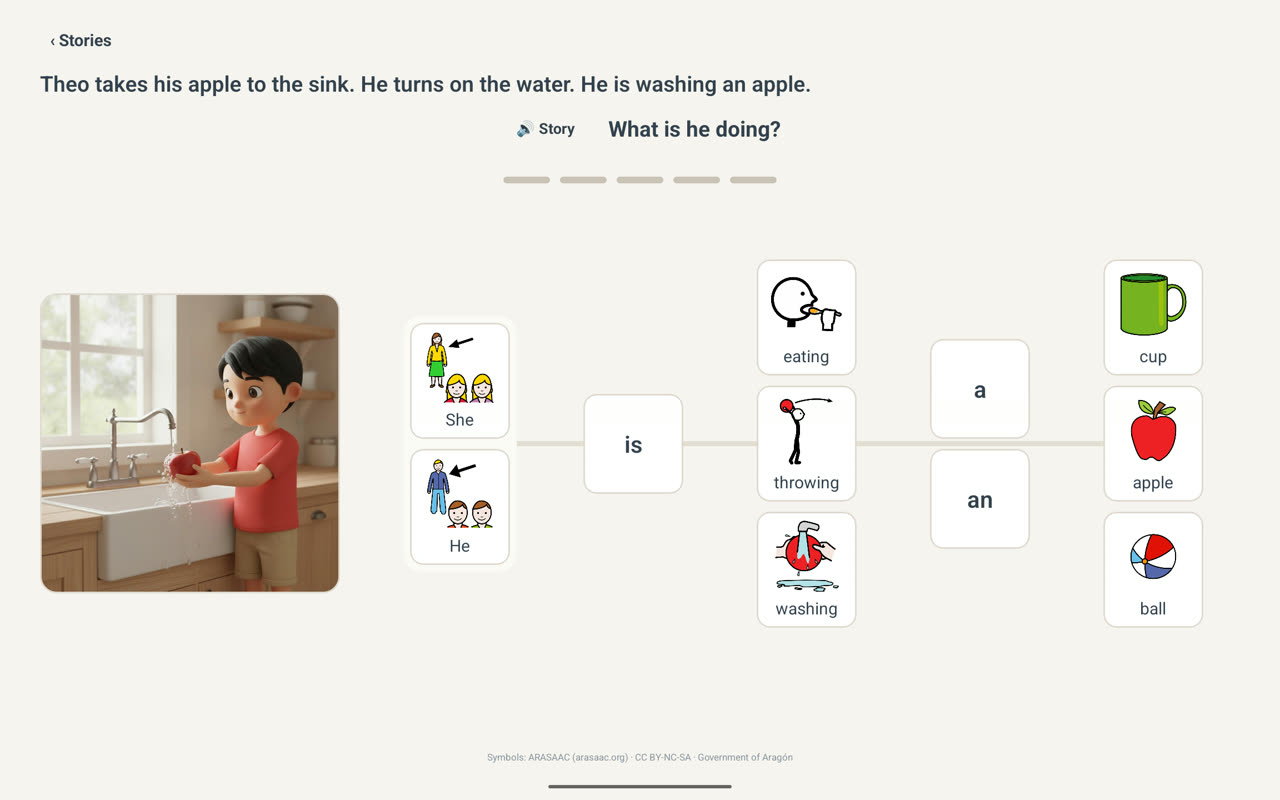
A story is a sequence of pages of exactly two kinds. Story pages are for listening: a picture, the text, one Play button, and nothing to get right. Build pages read their passage aloud, then ask one question about it — and the tiles wait below.
- Listen to a page
- Follow the lit sentence
- A build page asks its question
- Build the story's sentence
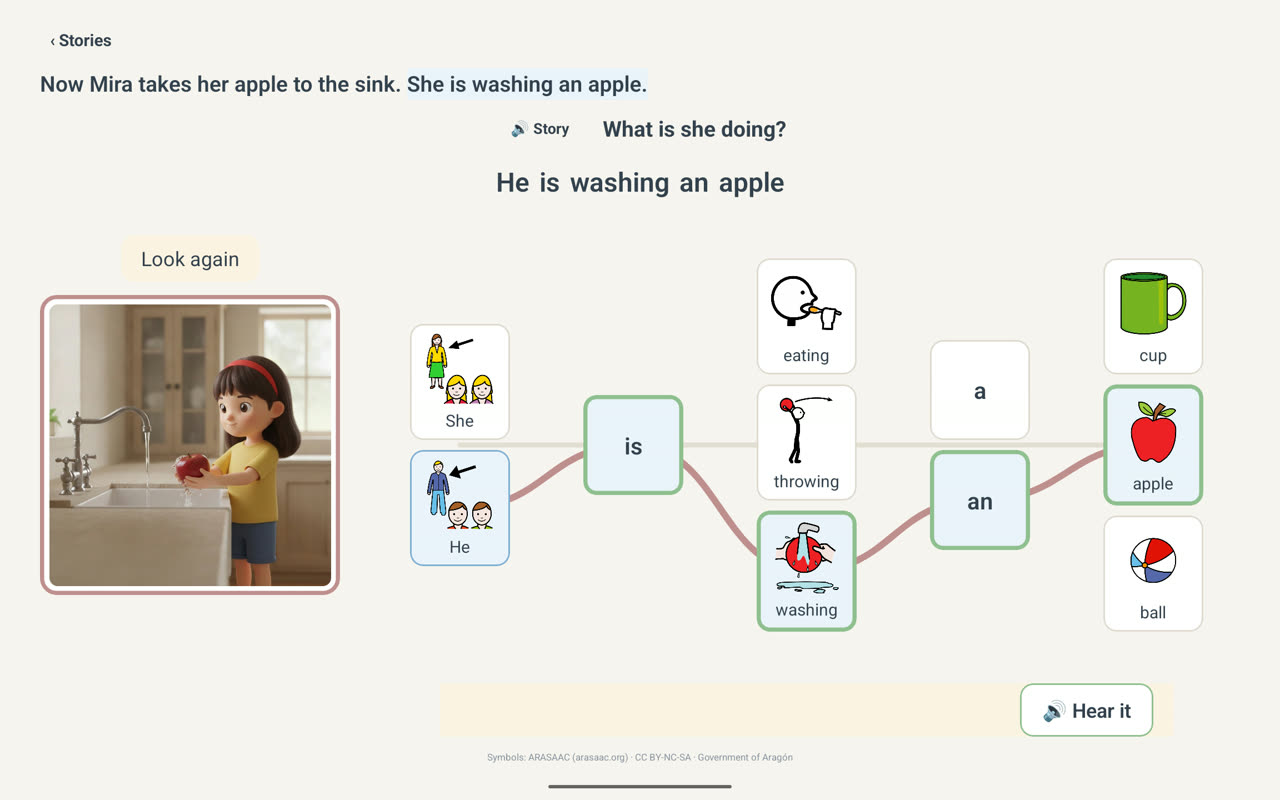
- A gentle "look again" if it doesn't match
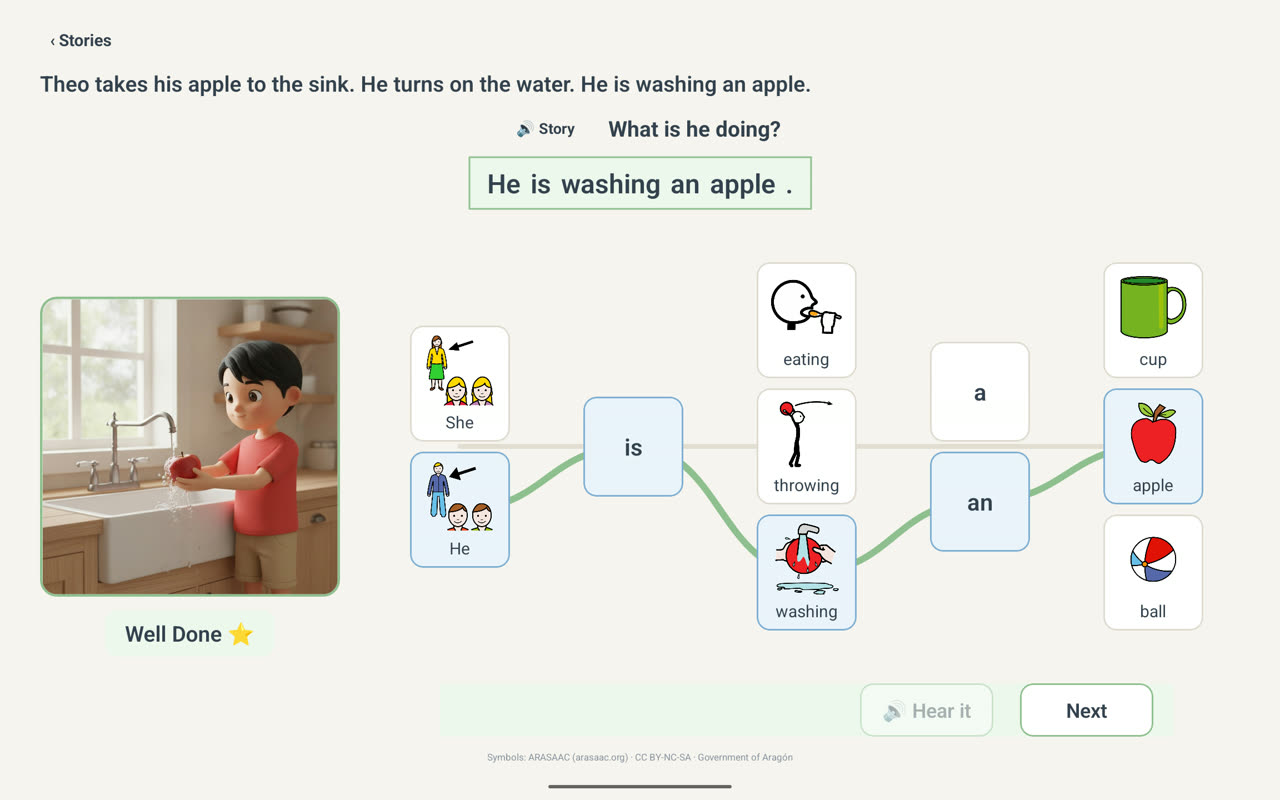
- A quiet Well Done
The same foundations
Read and Build inherits every commitment the Sentence Builder made — and adds a few of its own.
Stories walk the curriculum
Every build sentence in a story is a sentence from the learner's current map — the story gives the same practice a home, a reason, and a rhythm.
Rest beats by design
Story pages ask nothing. They are deliberate rest beats — listening, looking, and following the words at the learner's own pace.
Supports are dials, not fixtures
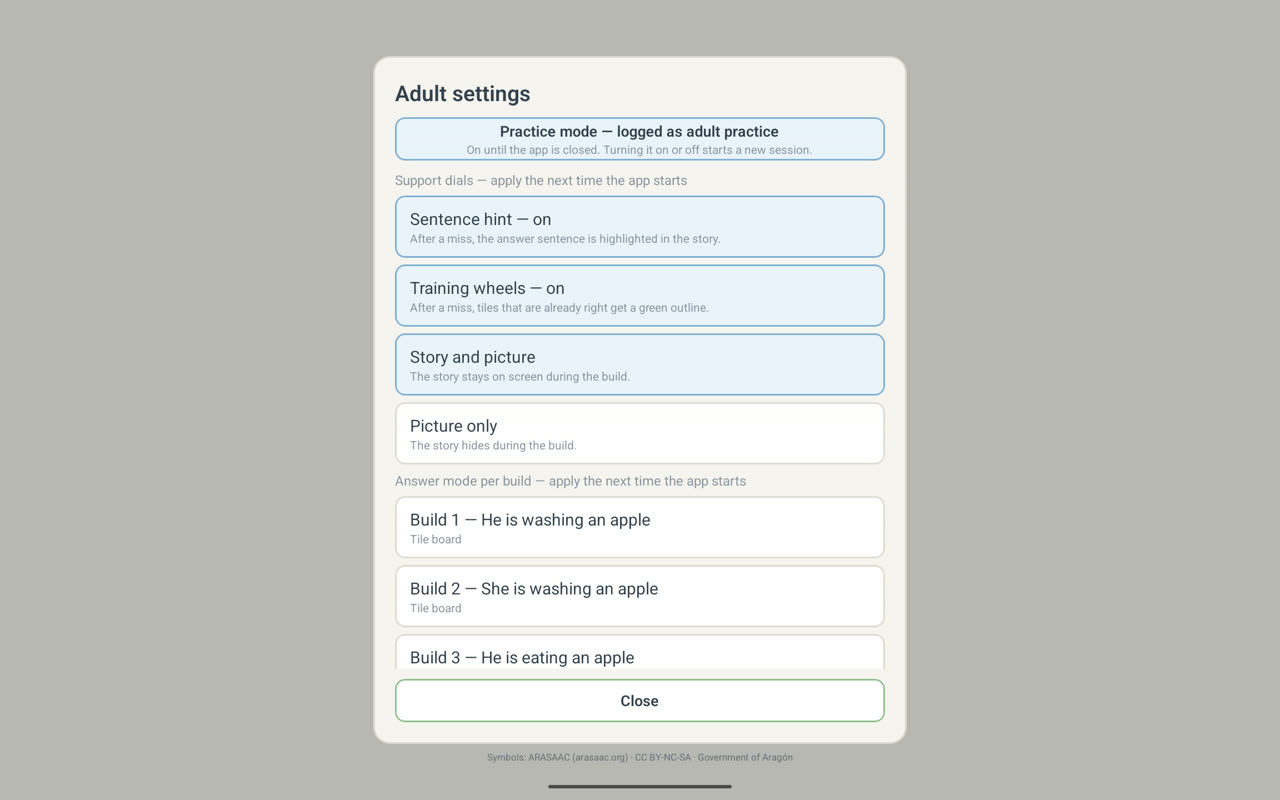
The sentence hint, the tile outlines, and how much of the story stays on screen during a build are adult-set dials — support fades as the learner grows.
Their place is remembered
A finished story carries a check mark, and if the app closes partway through, the story reopens at their place in it. Progress never resets.
The same measurement promise
Practice mode keeps adult taps out of the learner's record, and the app reports what happened — it never judges. The same rules as the Sentence Builder, from day one.
Explore
Three ways to see Read and Build in context.